How to Use BayFox
Master the ultimate eBay selling tool in minutes. Here is everything you need to know to extract competitor data and boost your sales.
1. Sales Velocity Tracker (Purchase History)
eBay hides real-time sales data, but BayFox brings it directly to your fingertips. There are two simple ways to check the exact purchase history of any item.
Method A: Native Button Injection
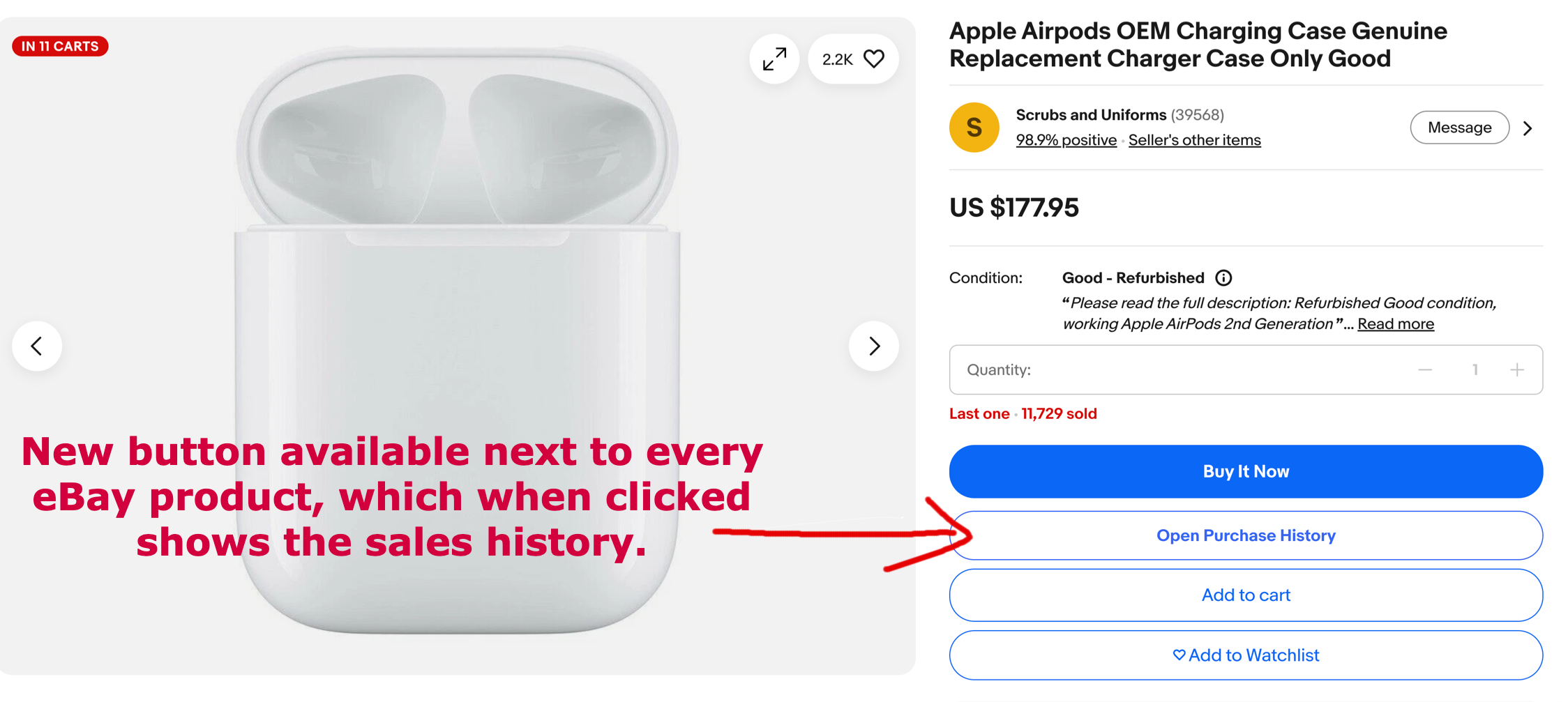
A brand new button is automatically available next to every eBay product on the listing page. When you click it, it instantly opens the hidden sales history page.
Method B: Through the Extension Popup
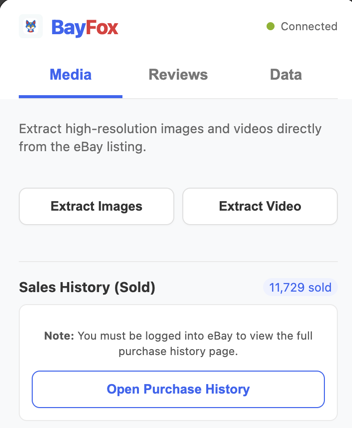
Alternatively, while browsing any listing, simply click the BayFox icon in your toolbar and press the "Open Purchase History" button.
2. Extracting Images & Video
Stop manually saving low-quality images. BayFox allows you to bulk download original, high-resolution media directly from the active listing.
One-Click Downloads
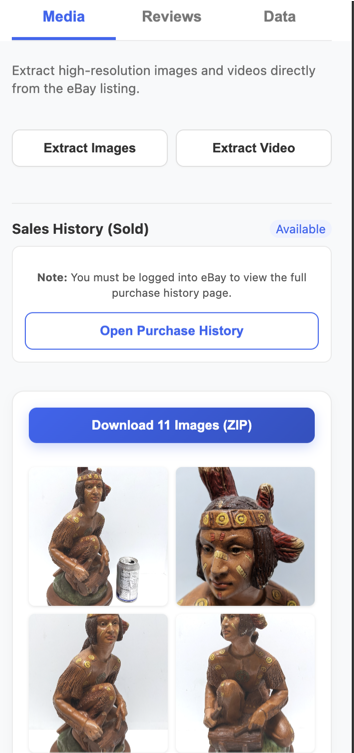
Open the BayFox extension while on a product page and switch to the Media tab.
You will see a grid of all available product photos and videos. Simply click "Extract Images" or "Extract Video" and BayFox will instantly download everything in the highest available quality directly to your device.
3. Export Customer Reviews
Analyzing what customers love (and hate) about a competitor's product is the best way to win the market. BayFox makes exporting this data completely seamless.
Step 1: Open the Reviews Page
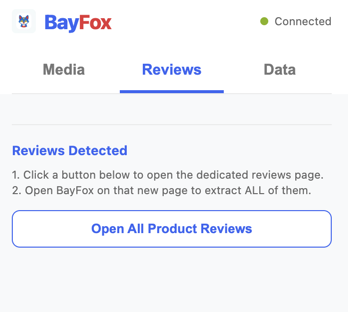
When you are on a product listing, open the BayFox extension and navigate to the Reviews tab. Click the "Open All Product Reviews" button to be redirected to the dedicated review page for that product.
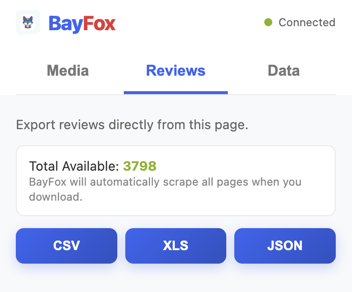
Step 2: Download the Data
Once you are on the reviews page, open the BayFox extension again. The interface will dynamically update to show you all the extracted reviews. You can now download them in your preferred format: CSV, XLS, or JSON.
Ready to start dominating eBay?
Get started with BayFox today. No account registration required on this website!